

Documentation Index
Fetch the complete documentation index at: https://docs.orq.ai/llms.txt
Use this file to discover all available pages before exploring further.
TL;DR
- Learn how to use Orq AI Gateway
- Connect primary & fallback AI providers to avoid vendor lock-in
- Enable streaming for real-time responses and better UX
- Add a knowledge base with your docs for contextual answers
- Set up caching for recurring requests
- Build a production-ready customer support agent in minutes
What we are going to build?
You will build a customer support application in Node.js using AI Gateway, where the support queries have access to the relevant business context from a knowledge base. The system will include a primary model (GPT-4o) and a fallback model (Claude Sonnet) that automatically activates during rate limits or outages. You’ll also learn to implement caching for user queries, identity tracing to monitor per-user LLM request volumes, and thread tracking to visualize complete conversation flows between users and the assistant.What is AI gateway?
AI Gateway is a single unified API endpoint that lets you seamlessly route and manage requests across multiple AI model providers (e.g., OpenAI, Anthropic, Google, AWS). This functionality comes in handy, when you want to:- Avoid dependency on a single provider (vendor lock-in)
- Automatically switch between providers in case of an outage
- Scale reliably when the usage surges
Build the customer support chat
Set up the Node.js project
Inside your IDE of choice set up the Node.js project, in this tutorial we will use npm package manager, feel free to use alternatives such as pnpm.Install Orq.ai SDKInstall the OpenAI SDKInstall TypeScript dependenciesSet up your API keysFirst, inside Orq dashboard create a project that we can assign API keys to by clicking the + button next to Project menu: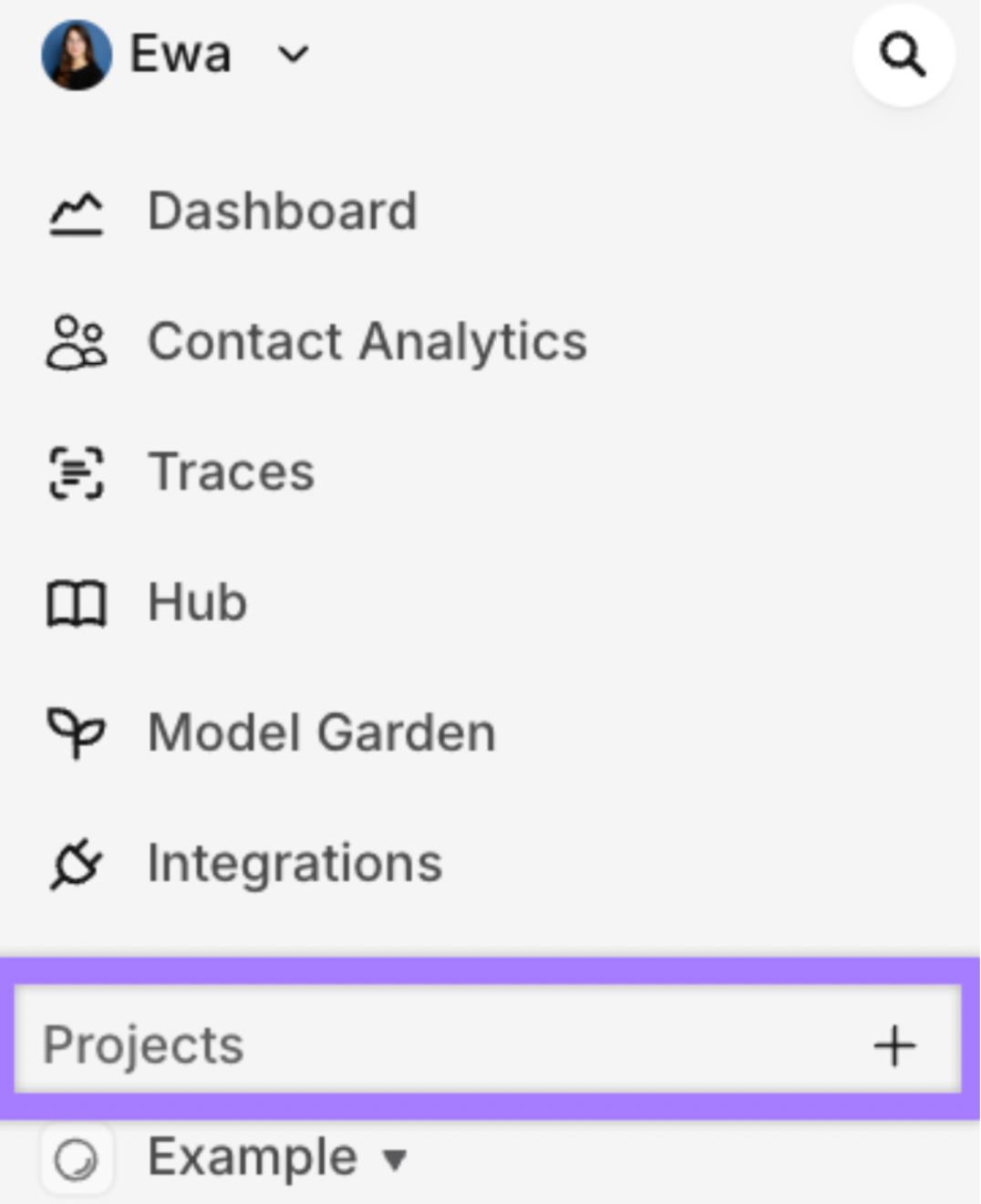
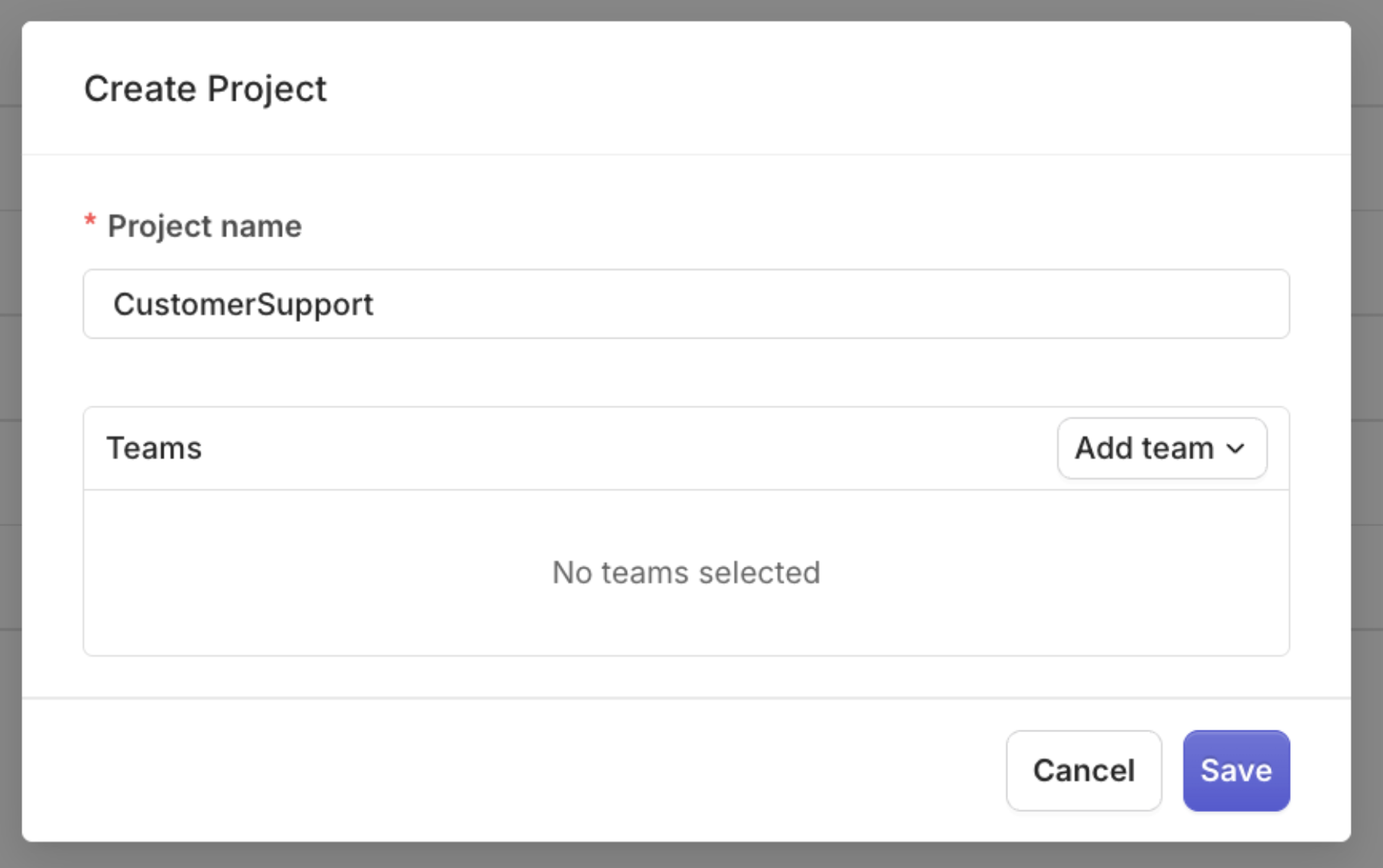
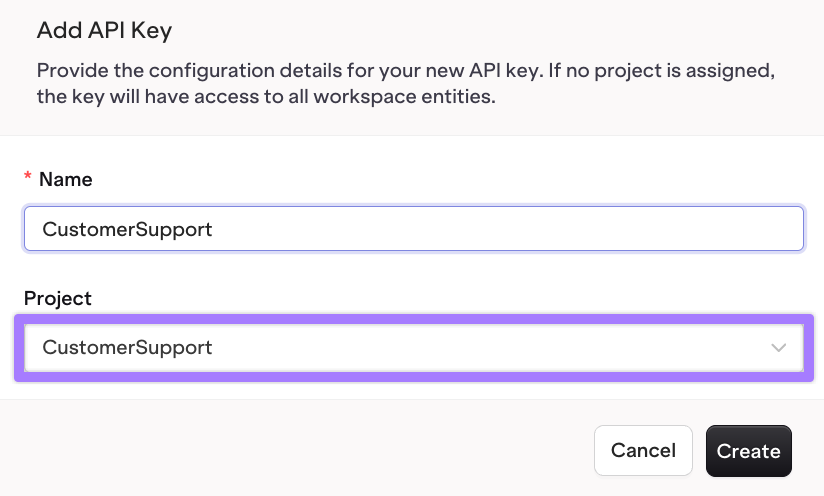

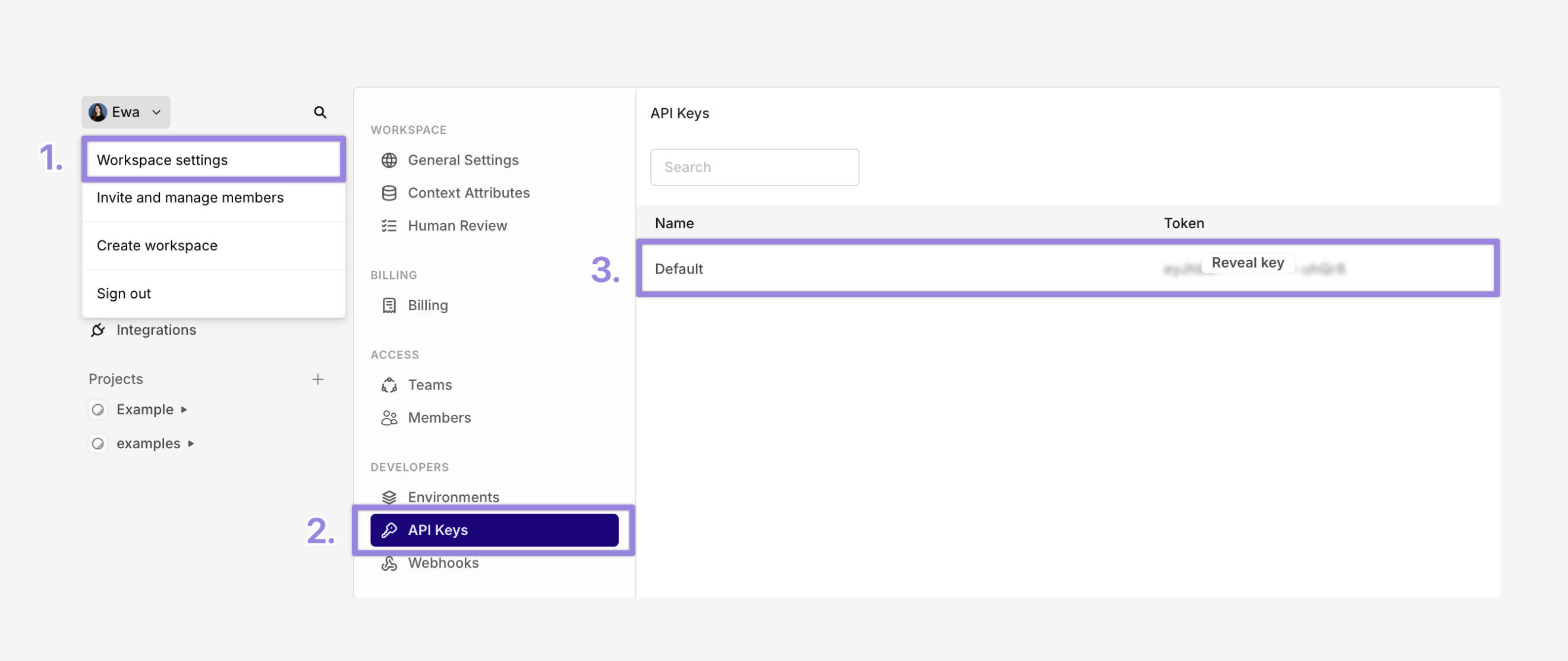
CustomerSupport- Workspace settings
- API Keys
-
Copy your key
.env to your .gitignorecustomer-support.ts file with a Hello World example:customer-support.ts
Streaming data in real time
In this step we will use OpenAI 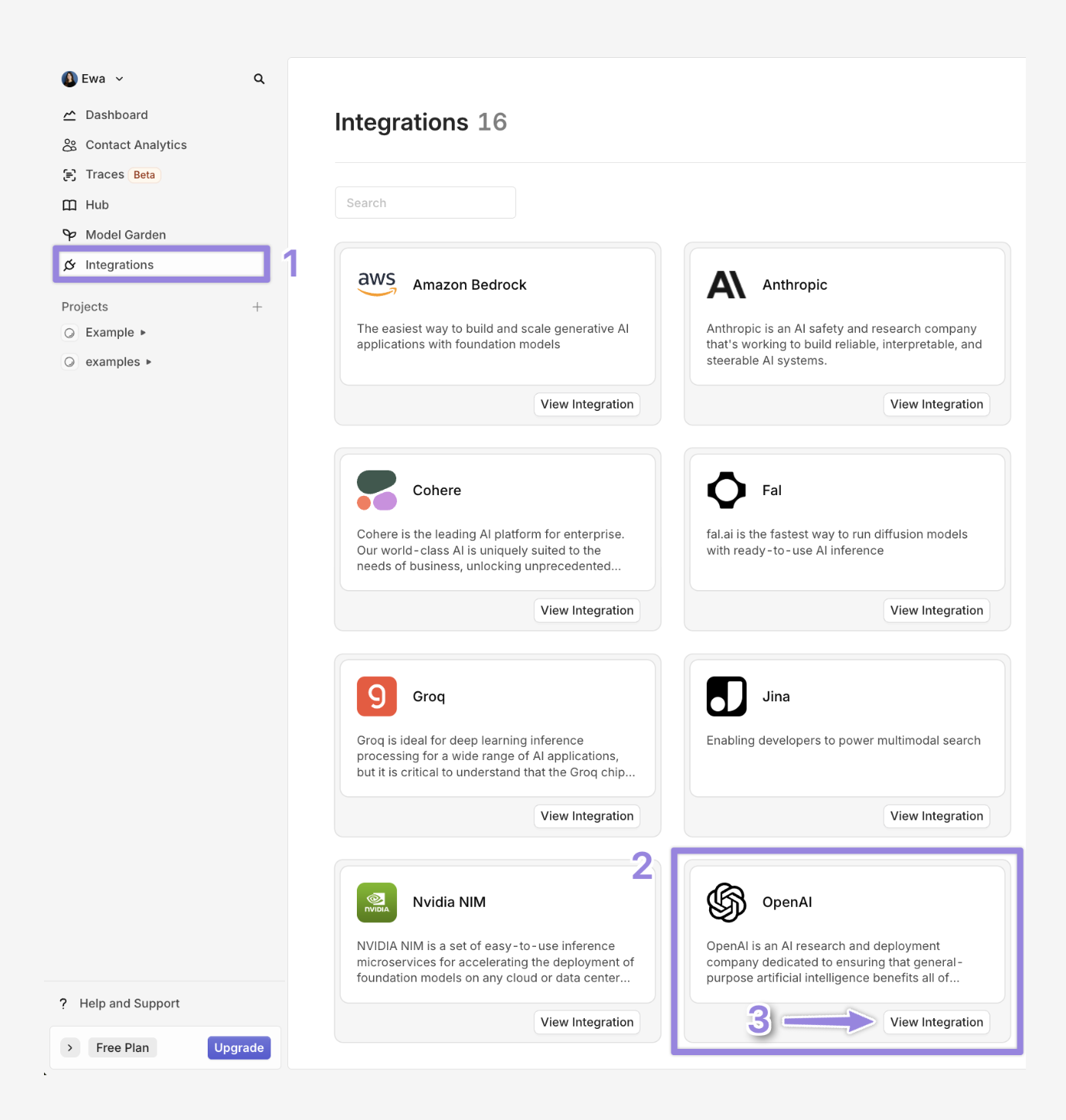
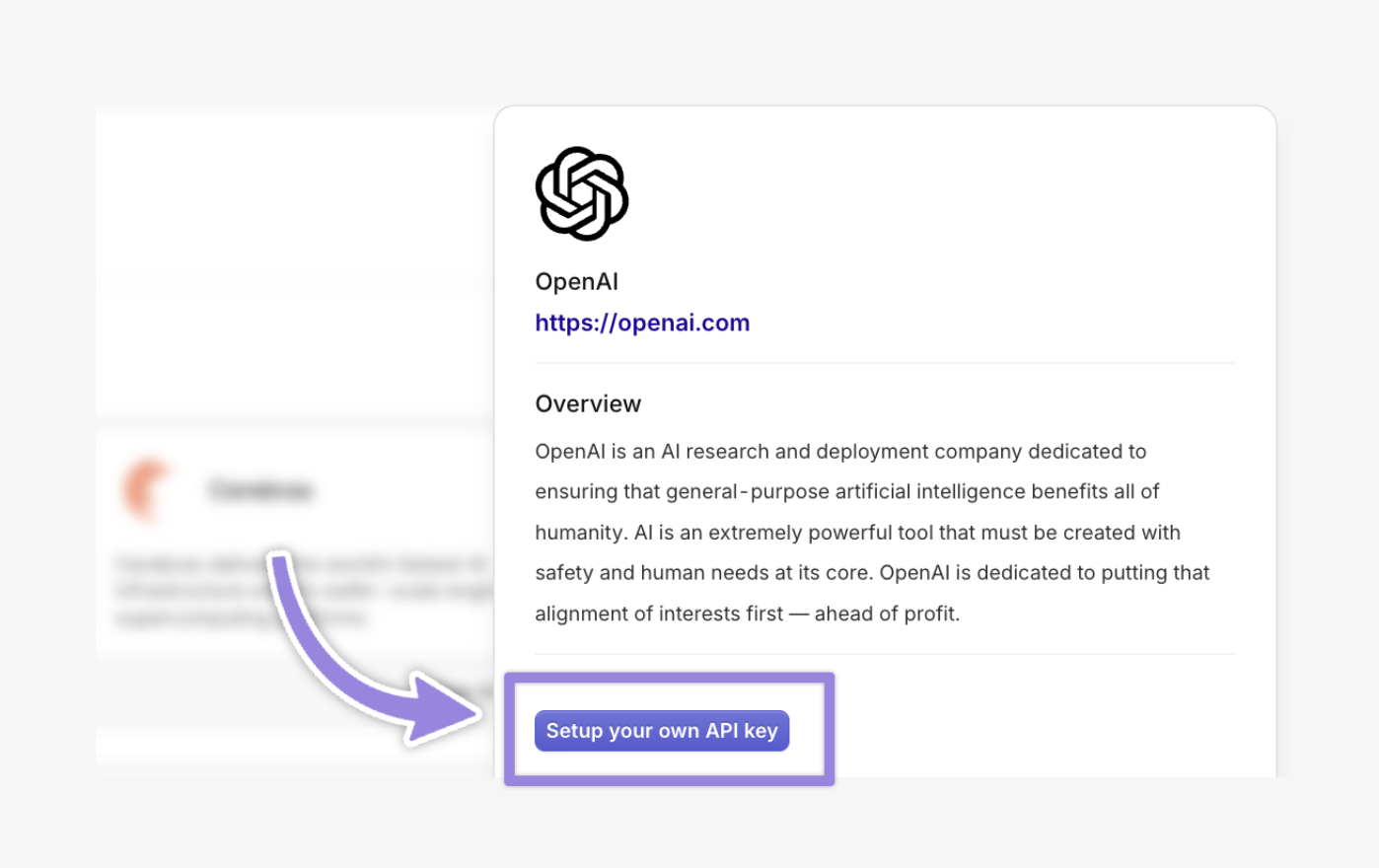

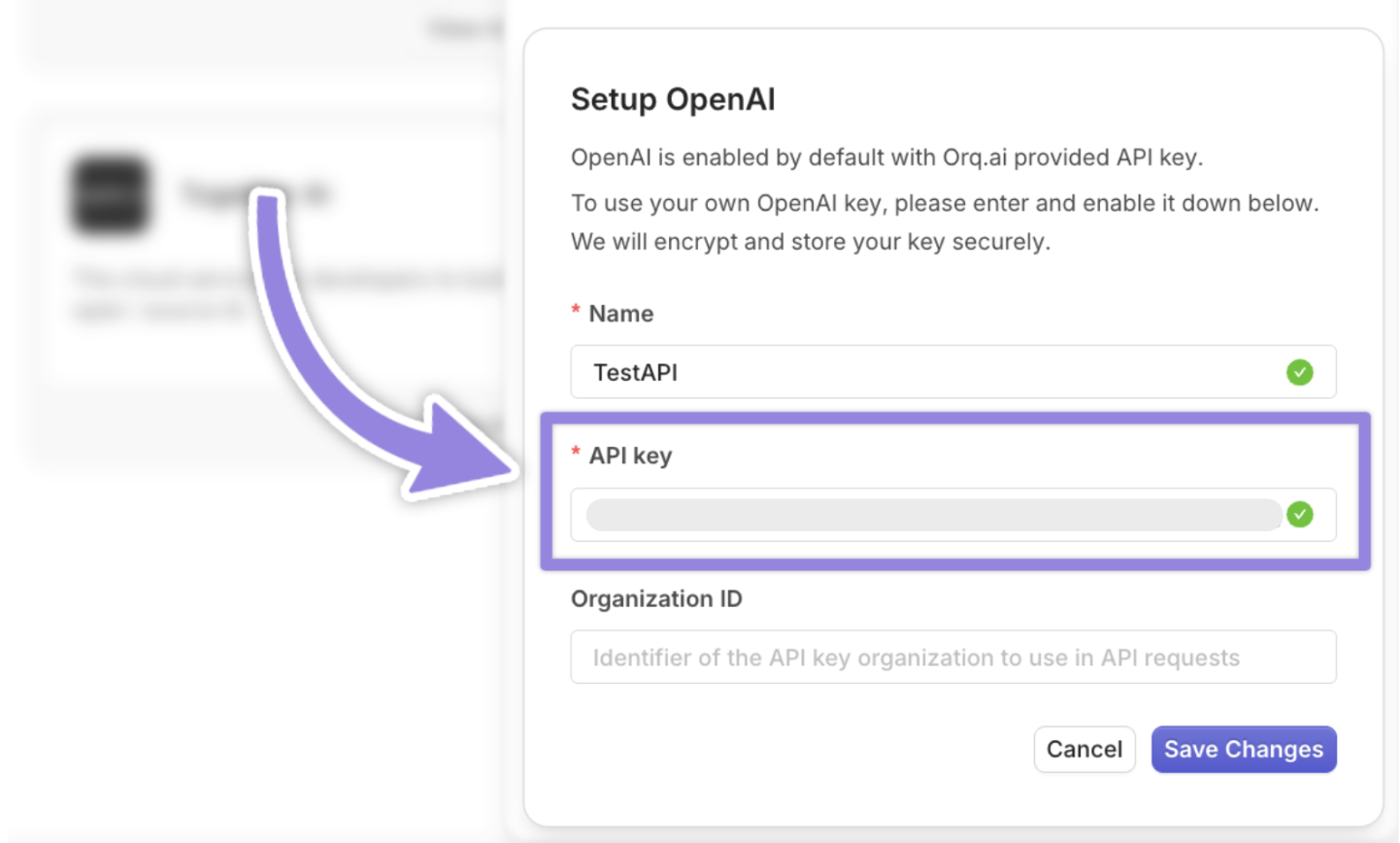
gpt-4o model to generate the responses. To connect any other model such as claude-3-5-sonnet follow the same steps. To enable models in Orq Ai Gateway :- Navigate to Integrations
- Select OpenAI
- Click on View integration
customer-support.ts
Retries & fallbacks
Orq.ai allows automatic fallback to alternative models if the primary fails. If
gpt-4o hits a rate limit or downtime, the request automatically retries and may fall back to Anthropic claude-3-5-sonnet or gpt 4o mini. Make sure that you have the models enabled in Orq.Caching
Orq.ai supports response caching to reduce latency and API usage for repeated requests. It uses First time, when you run the code request inside Traces you will see 

exact_match caching, where the cache key is generated from the exact model, messages, and all parameters, ensuring identical requests hit the cache. The TTL (time-to-live) specifies how long the response is cached (e.g., 3600 seconds for 1 hour, max 86400 seconds). Below is a TypeScript implementation with caching, retries, and fallbacks:cache-misscache-miss the first time is because Orq.ai has no prior response stored for that exact cache key and the cache is initially empty for that key. You can read more about cache here When you run your request for the second time within the TTL inside Traces you will see cache-hit, meaning that Orq.ai retrieved successfully the cached response.Knowledge Base
When to use:
- When you want to enhance a foundational model’s responses with custom, domain-specific knowledge using Retrieval-Augmented Generation (RAG).
- Orq.ai’s built-in RAG feature enables you to create a Knowledge Base with your documents (e.g., FAQs, manuals, or PDFs)
- When you want to add a Vector Database (e.g., Pinecone, Qdrant) for control over embeddings and retrieval. For more see Using Vector databases with Orq
embedding_model | You can select the embedding_model from supported models, which is a family of models that converts your input data (text, images etc.) into a vector embeddings (e.g.text-embedding-3-large) |
|---|---|
path | Project name (e.g. CustomerSupport) |
key | Come up with a unique key for your Knowledge Base (e.g. Customer) |
top_k | Defines the maximum number of relevant chunks to retrieve from the Knowledge Base (e.g., top_k: 5 retrieves up to 5 chunks) |
threshold | Sets the minimum relevance score (0.0 to 1.0) for retrieved chunks (e.g., threshold: 0.7 filters chunks with scores below 0.7) |
search_type | Specifies the search method for retrieving chunks ( e.g. hybrid_search combines keyword and semantic search) |
customer-support.ts
_id as YOUR_KNOWLEDGE_ID in the .env file.Add files to the Knowledge Base
Inside the main repository create This is how a successful response should look like:Add the file id If you want to do this step with a GUI see: Create file
documents directory and put the documents that you want to upload there. Orq.ai supports document types such as pdf, txt, docx, csv, xls - 10mb max.Run the following code to upload the documents:customer-support.ts
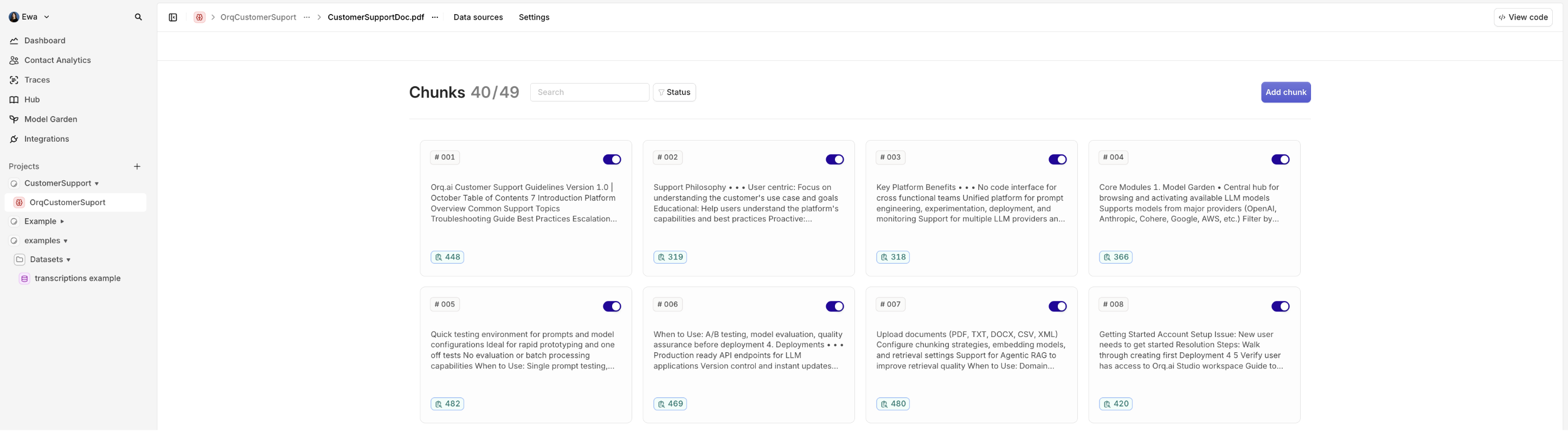
_id to the .env file:Connect the files with the Knowledge Base as datasource
YOUR_KNOWLEDGE_IDto the .env
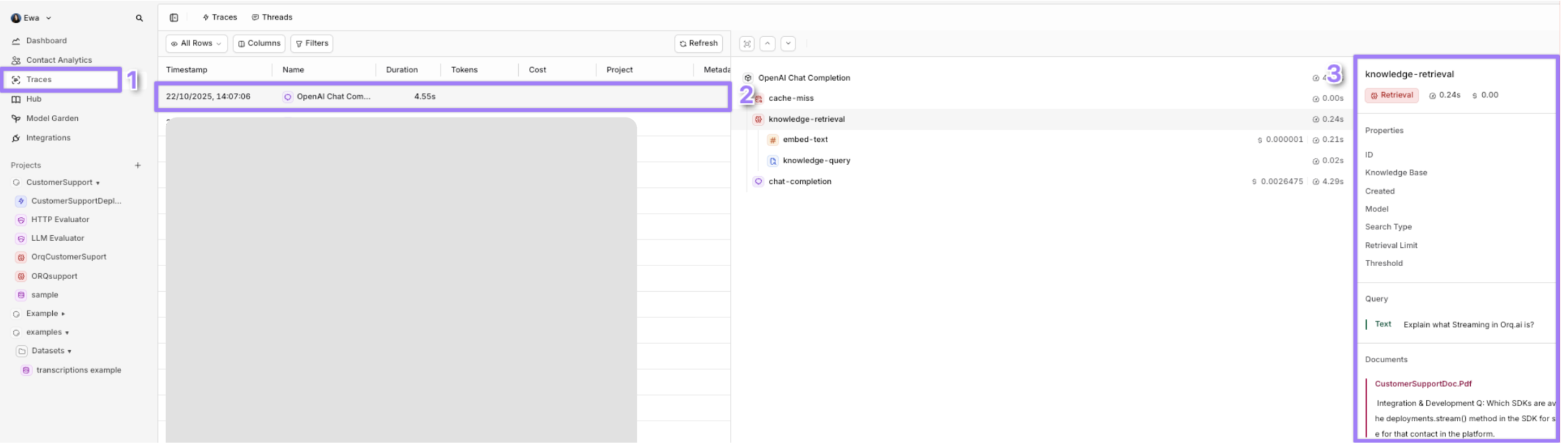
Identity Tracking
When to use:
- You want to identify and remember the user between chats or sessions.
- You need to audit who asked what (e.g., Alice Smith asked about “refunds”).
- You’re building user profiles, dashboards, or integrating with a CRM (e.g., Salesforce, HubSpot).
- If your application involves external b2b clients and you want to monitor how many calls your client and at what cost is doing to your application
YOUR_API_KEY, YOUR_IDENTITY_ID and YOUR_DEPLOYMENT_KEY variables:
Thread tracking
When to use:
- Understand the back-and-forth between the user and the assistant
- Track context drift in long conversations
- Make sense of multi-step conversations at a glance

support-TICKET-789-<timestamp>) for both initial and follow-up requests to group them in the same thread: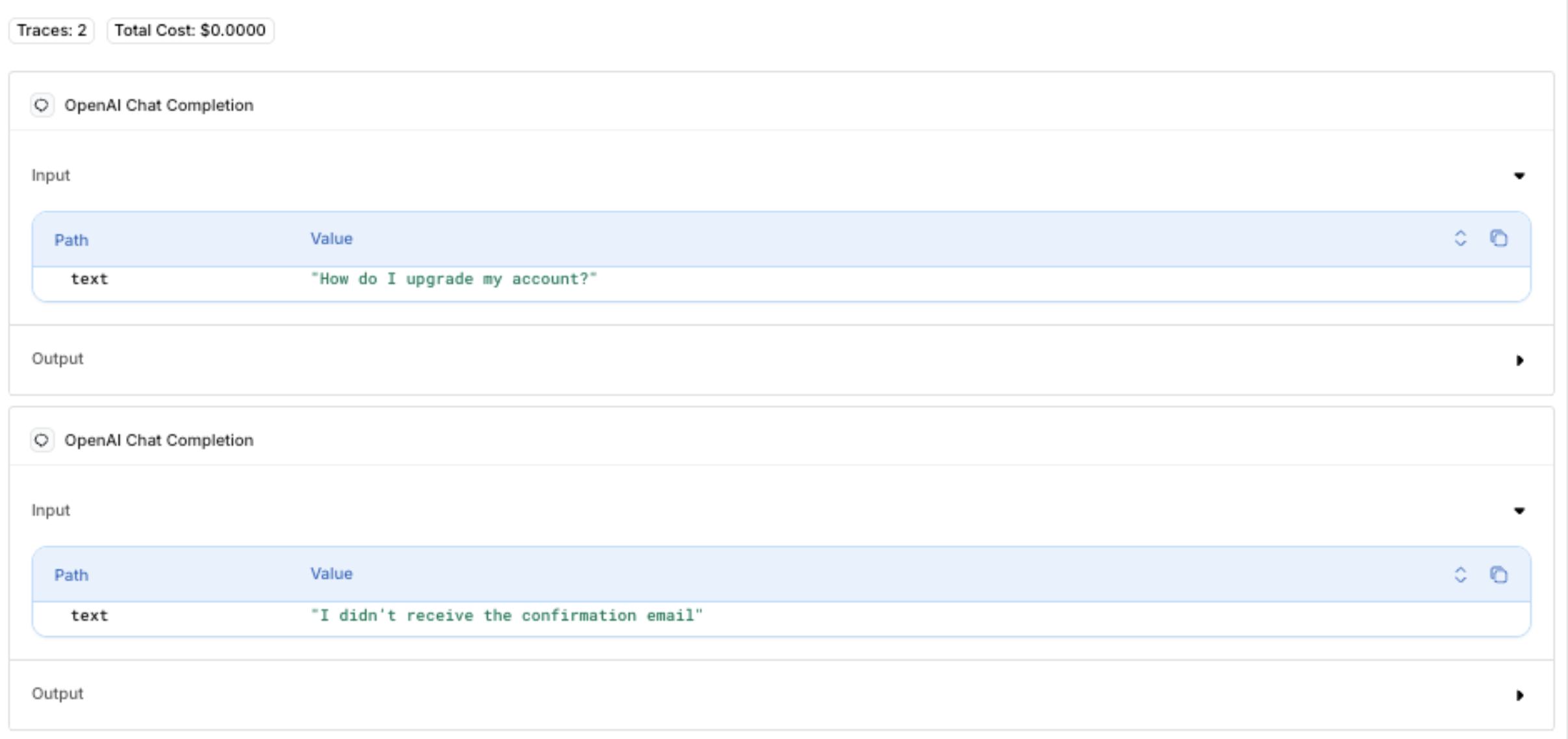
Dynamic Inputs
When to use:
- Whenever you want your script, program, or tool to handle variable data at runtime instead of hardcoding values Using Third Party Vector Databases with Orq.ai
Advanced framework integrations
Orq.ai’s AI Gateway seamlessly integrates with popular AI development frameworks, allowing you to leverage existing tools and workflows while benefiting from gateway features like fallbacks, caching, and observability.LangChain Integration
Orq.ai works natively with LangChain by simply pointing to the gateway endpoint. This gives you access to fallback models, caching, and knowledge base retrieval while using LangChain’s abstractions. For more detailed guide see LangChain integrationDSPy
DSPy programs can route through Orq.ai to gain automatic prompt optimization alongside gateway reliability features. For more detailed guide see DSPy IntegrationBase URL configuration
Conclusion
Orq.ai’s AI Gateway provides a unified, scalable, and production-ready solution for building reliable AI applications. By routing through a single API endpoint, you gain:- Unified access: Connect to multiple AI providers (OpenAI, Anthropic, AWS) through one API
- High availability: Automatic fallbacks and retries ensure your application stays online
- Cost efficiency: Response caching reduces API costs and latency
- Smart context: Built-in knowledge base integration for domain-specific answers
- Production observability: Comprehensive traces and OTEL compatibility for monitoring
- Flexible deployment: Cloud, on-premises, or edge options to meet your needs
- High availability: Automatic fallbacks and retries ensure your application stays online
- **Cost efficiency **: Response caching reduces API costs and latency
- Smart context : Built-in knowledge base integration for domain-specific answers
- Production observability : Comprehensive traces and OTEL compatibility for monitoring
- Flexible deployment: Cloud, on-premises, or edge options to meet your needs